
LangChain and LangGraph Roadmap – Beginner's Guide
If you're new to AI and want to understand LangChain and LangGraph without getting lost in code, this guide is for you. Think of it as learning to drive a car—you don't need to know how the engine works to understand what the car does and why it's useful.
What Are LangChain and LangGraph?
Imagine you have a super-smart assistant (an AI like ChatGPT). On its own, it can only talk it can answer questions based on what it already knows.
LangChain is like giving that assistant:
-
A notebook to remember what you discussed
-
Tools like a calculator, a web browser, or access to your files
-
The ability to follow step-by-step instructions to complete a task
LangGraph is like giving that assistant:
-
The ability to plan complex tasks
-
The power to change its plan if something goes wrong
-
The skill to work with other assistants (multi-agent systems)
-
Memory to pick up where it left off, even days later
The Core Difference (Simple Analogy)
| Aspect | LangChain | LangGraph |
|---|---|---|
| What it does | Follows a fixed recipe | Thinks, plans, and adapts |
| Mental Model | A cooking recipe (step 1, then step 2, then step 3) | A road trip with GPS (if there's traffic, it reroutes) |
| Best For | Simple tasks like summarizing documents | Complex tasks like research, coding, or customer support |
Real-World Example:
-
LangChain: You ask AI to read a 100-page report and write a summary. It does it in one go.
-
LangGraph: You ask AI to research "best laptops under ₹50,000." It searches the web, compares prices, reads reviews, writes a report, and checks if any new deals appeared while writing.
What Can You Build with LangChain and LangGraph? (Without Coding)
LangChain Use Cases
| Application | What It Does |
|---|---|
| Smart FAQ Bot | Answers questions based on your company's documents, not just general knowledge |
| Meeting Summarizer | Records a meeting, transcribes it, and sends a bullet-point summary to your email |
| Email Generator | Writes professional emails based on a few bullet points you provide |
| Content Analyzer | Reads competitor blogs and highlights what they're doing differently |
| Document Q&A | Upload a PDF and ask questions—it finds answers within the document |
LangGraph Use Cases
| Application | What It Does |
|---|---|
| AI Research Assistant | Searches the web, reads articles, synthesizes findings, and writes a research paper |
| Multi-Agent Customer Support | One agent chats with the customer, another searches the knowledge base, a third drafts a response |
| AI Software Developer | Plans code, writes it, tests it, and fixes bugs—all autonomously |
| Financial Analyst Agent | Collects market data, analyzes trends, generates reports, and monitors for breaking news |
| Content Marketing Team | One agent researches keywords, another writes drafts, a third edits for SEO, a fourth publishes |
Key Concepts Explained Simply
1. Agents
Think of an Agent as a "worker" with a specific job:
-
Researcher Agent → Searches for information
-
Writer Agent → Writes content
-
Editor Agent → Checks for errors
-
Supervisor Agent → Manages all other agents
2. Tools
Tools are like "apps" your AI assistant can use:
-
Web Search → Finds information online
-
Calculator → Solves math problems
-
Database Query → Pulls data from spreadsheets
-
Email Sender → Drafts and sends emails
-
Calendar API → Checks availability and schedules meetings
3. State and Memory
State = Everything happening right now (the current conversation, what tools have been used).
Memory = What the system remembers from past conversations or previous tasks.
4. Orchestration
This is the "conductor" that makes sure all agents and tools work together smoothly. It plans the workflow, assigns tasks, and handles issues.
How They Work Together (Simplified)
LangChain Workflow (Simple Task)
Step 1: User asks a question
Step 2: AI searches the document
Step 3: AI generates a response
Step 4: Response is sent to user
Example: "What is our return policy?" → AI searches the policy document → "We offer 30-day returns."
LangGraph Workflow (Complex Task)
Step 1: User says "Plan my Mumbai to Goa trip"
Step 2: Planner Agent breaks it down
Step 3: Search Agent finds flights and hotels
Step 4: Weather Agent checks weather for the dates
Step 5: Itinerary Agent creates a day-by-day plan
Step 6: A conflict arises (weather is bad on one day)
Step 7: Planner Agent revises the plan
Step 8: Final itinerary is sent to the user
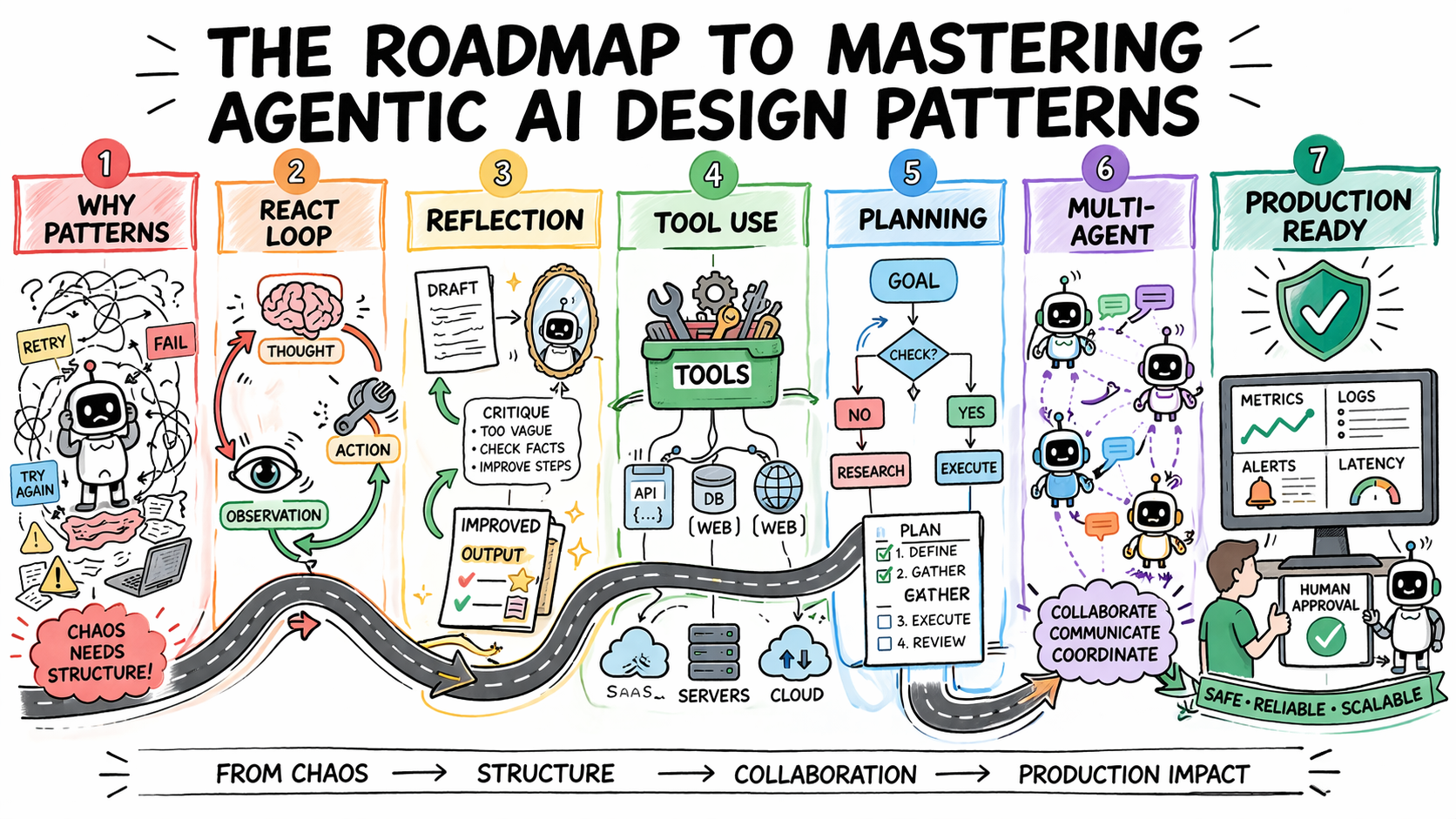
The 4-Stage Learning Path (Non-Technical)
Stage 1: Understanding AI Basics (Weeks 1-2)
-
Learn what LLMs are (like ChatGPT, Gemini, DeepSeek)
-
Understand prompting (how to ask AI questions well)
-
See what AI can and cannot do
Stage 2: Understanding LangChain (Weeks 3-5)
-
Learn how AI can use tools (search, calculators, databases)
-
Understand "chains" (step-by-step workflows)
-
See how RAG works (AI that reads your documents)
Without Code Activity: Use a no-code tool like Flowise or Langflow to build a simple RAG bot by dragging and dropping blocks.
Stage 3: Understanding LangGraph (Weeks 6-8)
-
Learn how AI can plan multi-step tasks
-
Understand multi-agent systems (AI agents working together)
-
See how AI can adapt and change plans
Without Code Activity: Use CrewAI or AutoGen Studio to build a multi-agent team (e.g., a researcher + writer) without coding.
Stage 4: Understanding Production (Weeks 9-12)
-
Learn how to monitor AI systems
-
Understand safety and "guardrails"
-
See real-world enterprise deployments
Non-Technical Career Paths in Agentic AI
| Role | What You Do | Skills Needed |
|---|---|---|
| AI Product Manager | Define what AI products should do, manage the roadmap | Business strategy, AI understanding |
| AI Solutions Architect | Design how AI fits into business workflows | System design, AI capabilities |
| Prompt Engineer | Write effective prompts to get the best from AI | Communication, creativity, testing |
| AI Trainer / Evaluator | Test AI systems, find flaws, ensure quality | Attention to detail, critical thinking |
| AI Ethics & Governance | Ensure AI is used responsibly and fairly | Ethics, policy, regulation |
| AI Consultant | Advise companies on how to use AI | Consulting, AI understanding |
How to Get Hands-On Without Coding
| Tool | What It Does | Difficulty |
|---|---|---|
| Flowise | Drag-and-drop LangChain workflows | Easy |
| Langflow | Visual LangGraph builder | Easy |
| CrewAI Studio | Build multi-agent teams without code | Medium |
| AutoGen Studio | Microsoft's no-code agent builder | Medium |
| Dify | Build RAG apps with a UI | Easy |
| Zapier AI | Connect AI to business apps (Gmail, Slack, etc.) | Very Easy |
When to Use LangChain vs. LangGraph (Decision Guide)
Use LangChain when:
-
You have a linear workflow (step 1 → step 2 → step 3)
-
You need to build a simple RAG (document Q&A) bot
-
You're creating a prototype
-
The workflow doesn't need to adapt or change
Use LangGraph when:
-
Your workflow has loops ("if this, then that")
-
Your agent needs to use multiple tools dynamically
-
You need memory (long-running processes)
-
You're building a production system
Practical Rule: Many organizations start with LangChain for simple prototypes, then use LangChain inside LangGraph for production systems. You get the simplicity of LangChain's tools with LangGraph's robustness .
Quick FAQ
Q: What is LangChain?
A: A framework that helps AI use tools and follow step-by-step instructions.
Q: What is LangGraph?
A: A framework that helps AI plan complex tasks, adapt, and work with other AI agents.
Q: Do I need to be a developer to use them?
A: No. You can build agents using no-code tools like Flowise, Langflow, CrewAI Studio, and Dify.
Q: What's the difference between LangChain and LangGraph?
A: LangChain follows a fixed recipe; LangGraph can reroute, adapt, and remember.
Q: Which should I learn first?
A: Start with LangChain concepts, then move to LangGraph. In production, many teams use both .
Q: Can I use LangGraph without LangChain?
A: Yes. Many teams use raw LLMs with LangGraph for full control.
Your Next Steps (No Code Required)
-
Watch: YouTube videos explaining LangChain and LangGraph
-
Try: Use Flowise to build a simple RAG bot
-
Explore: Use CrewAI Studio to build a researcher + writer team
-
Read: Join AI communities on Reddit and LinkedIn
-
Think: Identify 3 business problems agentic AI could solve
Contact Us
Phone: +91 9667708830
Email: info@codingnow.in
Website: https://codingnowai.in/
Address:
2nd Floor, Kapil Vihar (Opp. Metro Pillar No.354)
Pitampura, New Delhi – 110034
Backlink to main website: Explore AI and business technology courses at Coding Now – Gurukul of AI